
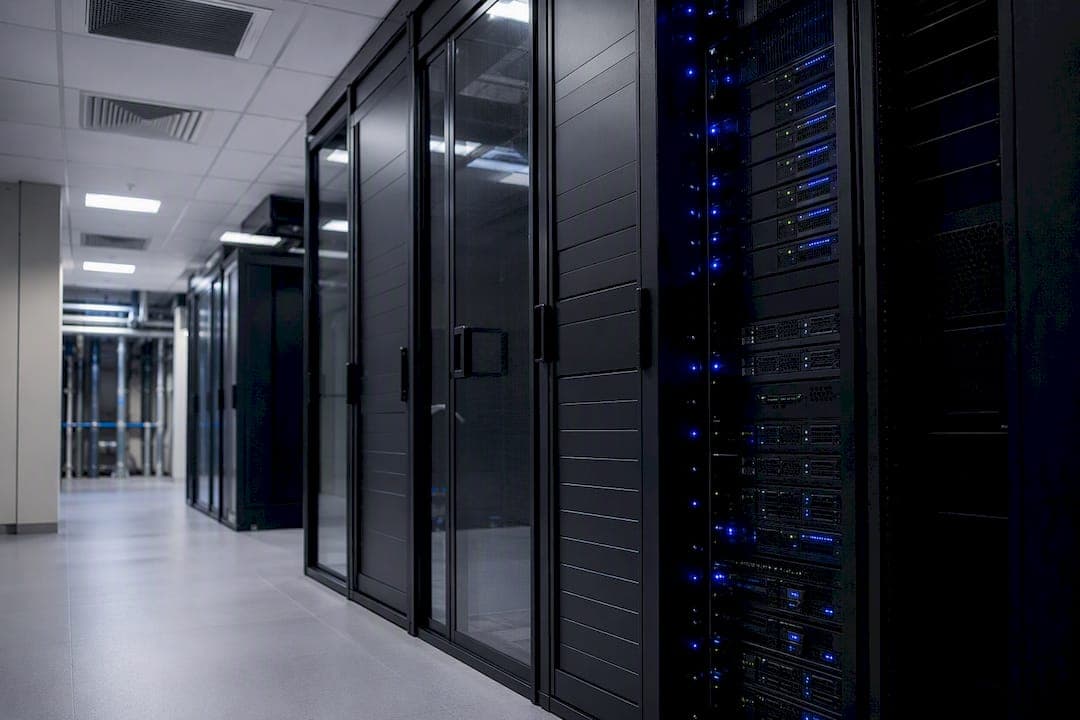
For a small closet with two racks, a ductless mini-split or a precision unit built for continuous duty that will handle the job. For a medium room running 5 to 15 kW per rack, pair in-row or rear-door cooling with hot/cold aisle containment. Above 15 kW per rack, especially with GPU-dense AI workloads, liquid or immersion cooling becomes the practical answer, with portable spot coolers standing by for emergencies only.
But none of that matters if you skip the first step: measure actual load per rack and put sensors where the heat actually builds up. Most server room failures trace back to a hotspot nobody was watching, not a lack of cooling capacity.
Your immediate next move:
- Map kW load per rack and identify your two or three hottest zones.
- Install rack-level temperature and humidity sensors at intake and exhaust points.
- Schedule a professional assessment if you haven't measured airflow in the last year.
TL;DR:
- Measure the actual heat load per rack and identify the two or three hottest zones before selecting cooling solutions.
- Seal containment gaps and install rack sensors to detect hotspots and delta-T issues rather than relying solely on capacity upgrades.
- Liquid cooling becomes essential when racks exceed 15 kW, especially with GPU-heavy AI workloads, while air cooling suffices below 5 kW per rack.
- Always plan for redundancy by maintaining N+1 capacity and keeping portable units on standby for emergencies.
- Consult professional assessment and design services to ensure proper sizing, installation, and ongoing maintenance of your server room cooling system.
Table of Contents
- Server Room Cooling Options at a Glance
- Air-Based Cooling: Room Units, Precision Systems, and Spot Coolers
- Rack-Level Cooling and Aisle Containment
- Liquid and Immersion Cooling for High-Density Racks
- Chilled-Water Plants and Hybrid Free-Cooling
- Getting Airflow and Monitoring Right
- How to Choose the Right Cooling Method
- What Cooling Actually Costs to Install and Run
- Redundancy and Emergency Cooling Basics
- How Cooling Choices Affect Hardware Lifespan
- Real-World Cooling Scenarios and What They Teach
- What I'd Fix First if I Walked Into Your Server Room
- Get a Professional Cooling Assessment for Your Server Room
- Key Takeaways
- Sources
Server Room Cooling Options at a Glance
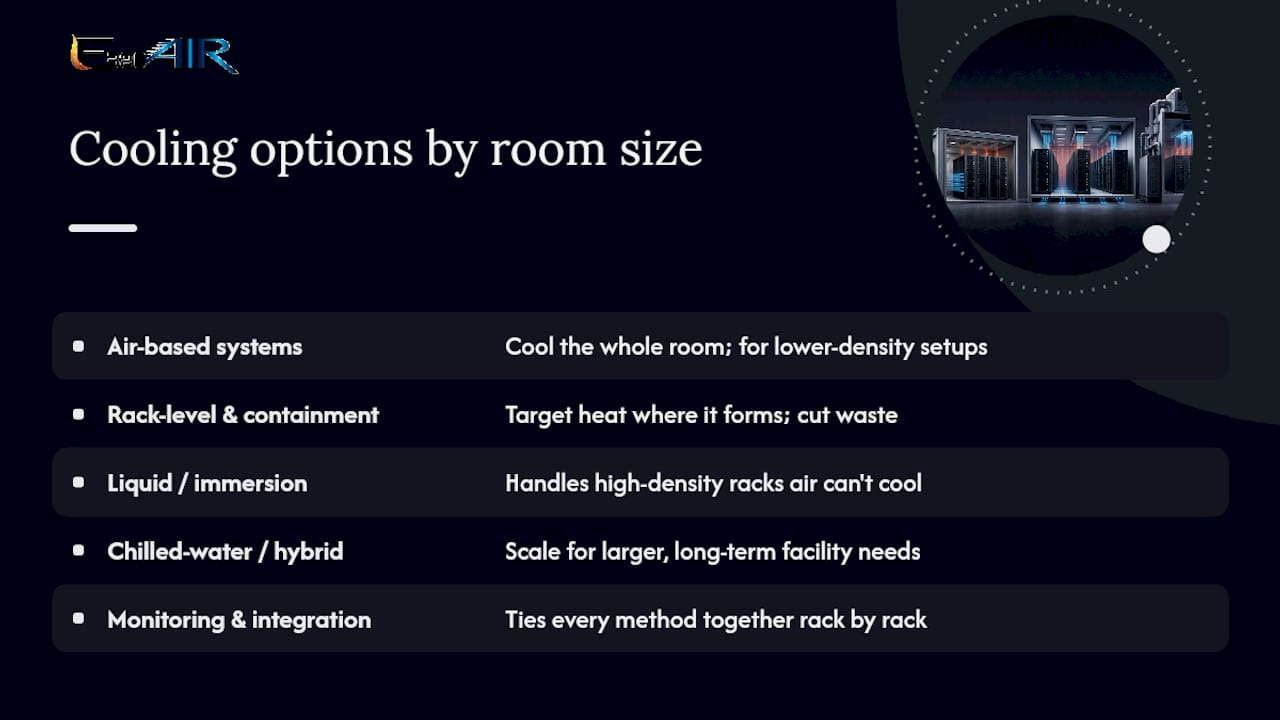
Five approaches cover almost every server room scenario. Air-based systems (precision CRAC/CRAH units, mini-splits) cool the whole room and suit lower-density setups. Rack-level and containment strategies (in-row coolers, rear-door heat exchangers, aisle containment) target heat where it forms and cut waste. Liquid and immersion cooling handles high-density racks that air simply can't touch. Chilled-water and hybrid plants scale for larger, long-term facility needs. And monitoring ties every method together, since none of these work well without visibility into what's actually happening rack by rack.
Redundancy and serviceability cut across all five. Whatever you pick, plan for a backup path and a maintenance schedule from day one.
Air-Based Cooling: Room Units, Precision Systems, and Spot Coolers
Air-based cooling covers the widest range of budgets and room sizes, but the options inside this category are not interchangeable. A window unit or standard home A/C is built to cycle on and off for comfort, not run continuously at full load, and it usually can't hold humidity in the tight band servers need.
- Precision CRAC/CRAH units run 24/7 by design, with tighter humidity control and better filtration than consumer equipment. Compact precision units now come in small footprints suited to single-rack rooms, some with free-cooling modes that cut compressor runtime on cooler days.
- Ductless mini-splits are often the most cost-effective choice for a closet or small room with one or two racks, especially where running ductwork isn't practical.
- Portable spot coolers work best as supplemental or emergency capacity. They're loud, need condensate drainage, and struggle with continuous-duty demands, but they buy time during a system failure or a summer heat spike, as Sunbelt Rentals notes when discussing why general-purpose A/C often falls short in server rooms.
Pro Tip: Check the continuous-duty rating before buying anything labeled "commercial." Some commercial units still aren't rated for 24/7/365 operation, and that gap shows up as premature compressor failure within a year or two.
Rack-Level Cooling and Aisle Containment
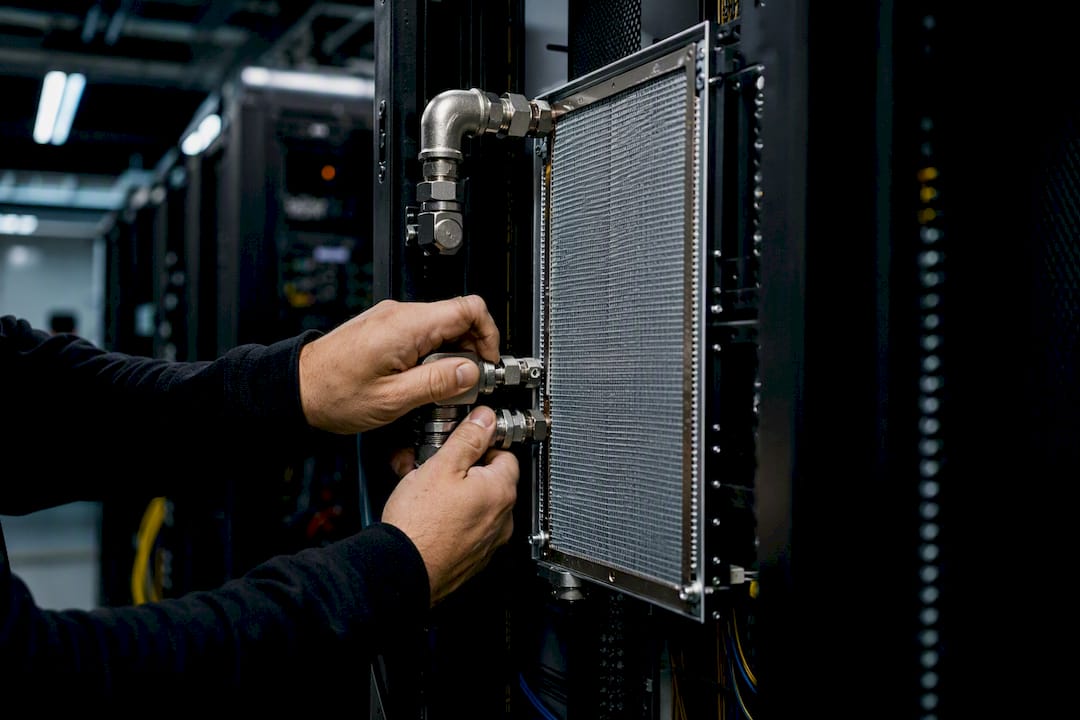
In-row coolers and rear-door heat exchangers cool air right at the rack instead of the whole room, which means you're not paying to chill air the servers never touch. Enclosed rack systems take this further, sealing a single cabinet as its own cooling zone.
Hot-aisle/cold-aisle containment is the cheapest fix on this list, and often the most underused. Sealing the gaps:
- Install blanking panels in every empty rack slot.
- Seal cable cutouts and gaps beneath racks with brush strips or foam.
- Align rack fronts and backs consistently so hot and cold air don't mix mid-aisle.
Airflow management improvements like these frequently deliver bigger efficiency gains than adding another ton of cooling capacity. A well-sealed containment setup widens the temperature delta between supply and return air, which means your existing mechanical system can handle more load without an upgrade, and it scales cleanly as you add racks.
Liquid and Immersion Cooling for High-Density Racks
Air runs out of headroom at moderately high kW per rack. Past that point, liquid cooling isn't a luxury choice, it's often the only workable one.
- Closed-loop liquid-to-air systems, like Google's Brazos design, mount at the rack and let you deploy liquid cooling one cabinet at a time without touching your facility's chilled-water infrastructure.
- Direct-to-chip cold plates target the hottest components (CPUs, GPUs) directly, which suits AI training clusters and other GPU-dense workloads.
- Immersion baths submerge entire servers in engineered dielectric fluid, removing heat far more efficiently than air ever could.
Engineered immersion fluids and thermal interface materials are formulated for corrosion protection and thermal stability, but plan for leak detection, coolant handling procedures, and a vendor who understands your specific hardware before committing.
Chilled-Water Plants and Hybrid Free-Cooling
Chilled-water systems circulate cooled water to CRAH units or in-row heat exchangers throughout the facility, and they make sense once you're managing enough total load to justify the plant.
- Modular chiller designs let you add capacity in stages instead of building for peak load on day one.
- Free-cooling modes use outside air or water-side economizers to cut compressor runtime during cooler months.
- Daikin's modular approach to hybrid cooling shows how incremental capacity additions pair with efficiency gains at scale.
Weigh the higher upfront capital cost against lower long-term operating expense, and factor in site constraints like floor loading and available yard space for outdoor equipment before committing to a chilled-water retrofit.
Getting Airflow and Monitoring Right
Rack-level sensors matter more than most facility managers assume. Distributed monitoring at the rack level catches hotspots before they cause an outage, not after.
Place sensors at the front intake and rear exhaust of your hottest racks, at the top of each rack, and in the hot aisle near the ceiling. Set alarms on the temperature difference between intake and exhaust, not just ambient room temperature, since a rising delta often signals a containment leak or a failing fan before the room itself feels warm.
- Run a simple smoke-pencil or tape test at rack gaps to confirm cold air isn't leaking into the hot aisle.
- Clean or replace filters every one to three months, more often in dusty environments.
- Clear floor vents and check for blocked perforated tiles quarterly.
Pro Tip: If your delta-T between supply and return air is under 15 degrees Fahrenheit, you're likely wasting cooling capacity to air mixing. Fix containment before you consider adding another unit.
How to Choose the Right Cooling Method
- Measure watts per rack using nameplate ratings or, better, actual PDU readings.
- Match the method to density: under 5 kW per rack, a well-sealed room with precision A/C usually works; 5 to 15 kW calls for containment plus in-row or rear-door cooling; above 15 kW, start evaluating liquid cooling.
- Ask vendors about continuous-duty ratings, humidity control range, leak detection, and guaranteed service response time.
Watch for proposals that skip humidity control specs entirely, quote capacity without a continuous-duty rating, or can't answer what happens during a compressor failure. A contractor comparison is worth doing before signing anything long-term.
What Cooling Actually Costs to Install and Run
Capital cost climbs fast with liquid and chilled-water systems, but operating cost often tells the real story: electricity, filter and coolant replacement, and service contracts add up over a five-year window.
- Site prep, like electrical panel upgrades or new condensate drains, can add weeks to an installation timeline.
- Floor loading matters for chilled-water plants and immersion tanks, both of which are heavier than a standard rack.
- Budget for quarterly filter service and an annual full system inspection at minimum, more often for precision units running near capacity.
Redundancy and Emergency Cooling Basics
Plan for N+1 capacity so a single unit failure doesn't take the room down. Know where to rent a portable unit on short notice, and give your on-call team a simple checklist: check delta-T, check containment, then call for backup capacity.
How Cooling Choices Affect Hardware Lifespan
Heat is the single biggest factor shortening server life outside of a hard power failure. Every 10-degree Celsius rise above the recommended operating range roughly doubles the failure rate of electronic components, a rule of thumb that's held up across decades of hardware engineering. Poor cooling doesn't just risk a dramatic shutdown, it quietly degrades capacitors, thermal paste, and fan bearings months or years before you'd expect a replacement cycle.
Inconsistent cooling causes more damage than steady, marginally warm conditions. A server that swings between 65 and 85 degrees Fahrenheit throughout the day, thanks to poor containment or an undersized unit cycling hard, suffers more thermal stress on solder joints and connectors than one held steady at a slightly higher but consistent temperature.
Humidity control matters just as much as temperature, and it's the piece most rooms get wrong. Air that's too dry invites static discharge, which can silently corrupt or destroy components. Air that's too humid risks condensation on cold surfaces, corrosion on connectors, and shortened drive life. This is exactly why precision cooling, with tight humidity bands, tends to outperform a standard air conditioner over the long run even when raw cooling capacity looks similar on paper.
Liquid and immersion cooling, done correctly, often extends hardware life further still by holding components at lower, more stable temperatures than air can achieve, particularly for GPUs running sustained heavy loads. The trade-off is that a coolant leak or pump failure introduces a different kind of risk, which is why leak detection and service response time matter as much as raw thermal performance when you're evaluating a liquid system.
Real-World Cooling Scenarios and What They Teach
A two-rack server closet running consumer-grade window units is one of the most common failure patterns facility managers encounter. The unit cycles constantly, humidity swings wildly between cycles, and within two years the compressor gives out from duty it was never designed to handle. Swapping to a small precision unit or a properly sized ductless mini-split, paired with basic blanking panels, typically solves the recurring failure pattern without a major capital outlay.
Mid-size server rooms running 8 to 12 racks at moderate density often hit a different wall: the room-level A/C keeps pace on paper, but hotspots appear at specific racks because of poor airflow, not insufficient total capacity. Adding rear-door heat exchangers to the two or three hottest racks, combined with sealing aisle gaps, usually resolves the hotspots without touching the central plant at all. This is the scenario where containment fixes outperform a capacity upgrade almost every time.
Higher-density deployments, particularly rooms adding GPU clusters for AI or machine learning workloads, tend to outgrow air cooling entirely within a single hardware refresh cycle. A facility that installs a handful of GPU racks pulling 25 to 30 kW each will typically find that even aggressive containment can't keep exhaust temperatures in range. That's the trigger point for evaluating a modular rack liquid-to-air retrofit rather than trying to force more air-based capacity into a room that physically can't move enough air fast enough.
What I'd Fix First if I Walked Into Your Server Room
Install sensors, seal your containment gaps, and get on a maintenance schedule before you spend a dollar on new capacity. If temperatures still climb after that, call a licensed HVAC contractor.
— Edward
Get a Professional Cooling Assessment for Your Server Room
E320air is the direct route to a cooling system sized correctly the first time, instead of guessing between a mini-split and a full precision unit on your own. We handle the full scope for server room and equipment room projects: on-site load assessment, system design, installation, and ongoing maintenance contracts that keep filters clean and continuous-duty units running the way they're rated to run.

Our commercial HVAC services cover everything from a single precision unit in a small equipment closet to a full installation with site prep for larger rooms. If you want to see how we've approached tricky mechanical problems for other clients, our project gallery has real examples worth a look. Request an on-site assessment through E320air and get a specific recommendation for your room's density and layout, not a generic quote.
Key Takeaways
The right server room cooling option depends on watts per rack, and sensors plus containment should come before any capacity upgrade.
| Point | Details |
|---|---|
| Measure first | Map kW load per rack before choosing a cooling method or sizing new equipment. |
| Match method to density | Air-based cooling suits low kW per rack scenarios; liquid cooling becomes necessary as rack density increases significantly. |
| Containment beats capacity | Blanking panels and sealed aisles often cut hotspots more effectively than adding tonnage. |
| Monitor at the rack | Place sensors at intake, exhaust, and top-of-rack, and alarm on delta-T, not just ambient temperature. |
| Plan for redundancy | Build N+1 backup capacity and know where to source a rental unit before an emergency hits. |
| Work with a specialist | E320air offers on-site assessment, design, installation, and maintenance contracts for server room cooling projects. |
Sources
- Brazos liquid cooling system for air-cooled data centers | Google Cloud Blog
- Data center cooling solutions | Daikin Applied
- Data center cooling solutions and thermal management | Dow