
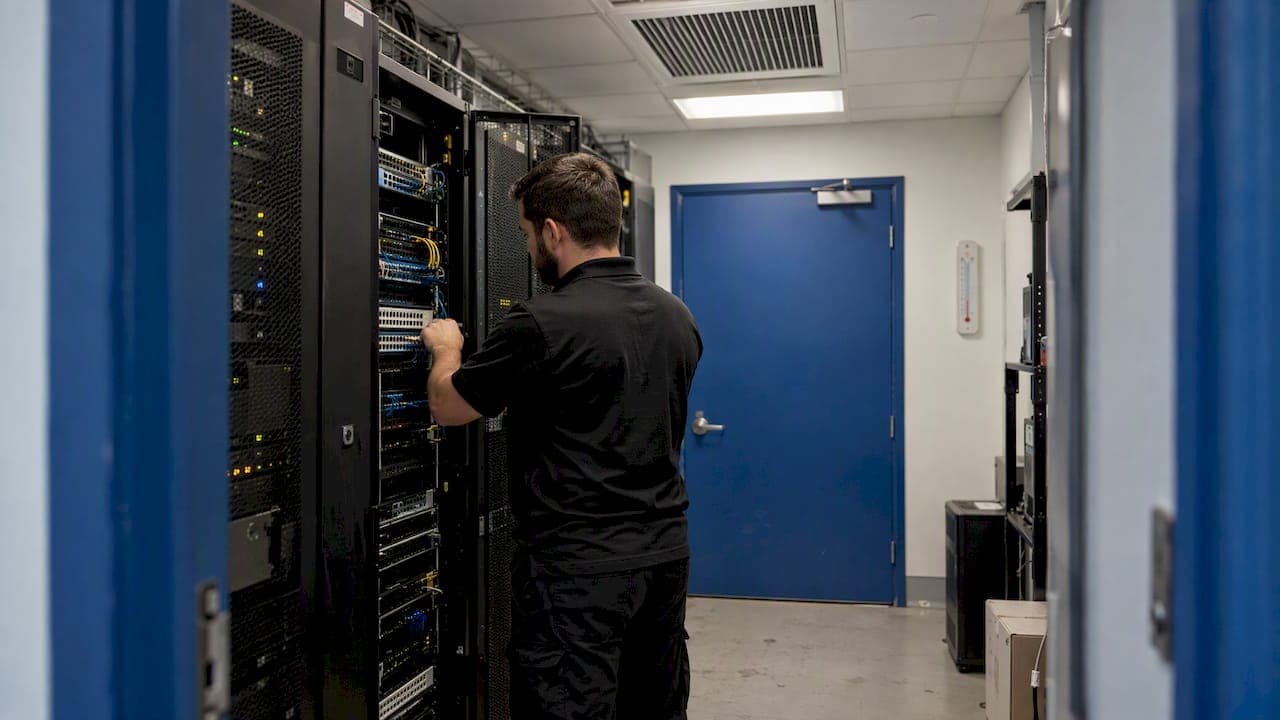
If the air conditioner serving your server room has stopped, you are in a race against heat. Confirm the room is actually warming, shed load or shut down non-critical equipment in a planned order, move air and add temporary cooling safely, and get an HVAC technician on site while you protect the hardware. Do not wait to see whether the unit "comes back." Every minute of guessing is heat the equipment absorbs.
This guide is for the people who own the problem: business owners, property managers and facility leads in the Inland Empire who run a small server closet, an IDF/MDF room or a dedicated machine room. It covers what to do right now, what temperatures matter, what backup cooling is safe, and how to make sure it does not happen again.
TL;DR
- Check the room temperature first, then start your documented loss-of-cooling plan. If you have none, shut down in order of least to most critical before temperatures climb past manufacturer limits.
- Close the door, cut non-essential heat sources, and use fans or portable cooling only if they are installed and powered safely. Never run a generator indoors.
- Aim to keep intake air within roughly 64°F to 81°F (18°C to 27°C), the recommended range for most equipment classes. Your server maker's own limits come first.
- Sensors with staged alarms, emergency power for the cooling and its controls, and a spare or rental plan are what turn a failure into a minor event.
- Call a commercial HVAC contractor who handles emergency repairs around the clock, then ask why the unit failed, not just how to restart it.
Table of Contents
- The first 15 minutes: a response order that works
- Signs the AC has failed (or is about to)
- How hot is too hot?
- Safe temporary cooling: what helps and what to avoid
- Monitoring that tells you before the servers do
- After the emergency: find the cause
- Reduce the chance of a repeat
- Perspective: what we see on the service calls
- When you need a technician now
- FAQ
- Sources
The first 15 minutes: a response order that works
The goal of the first quarter hour is to stop guessing. You need three facts: how hot the room is, how fast it is rising, and what is running in it.
- Read the temperature. Use a rack-mounted sensor, the monitoring dashboard or a handheld thermometer at the server air intakes (the front of the rack), not the ceiling or the return grille. Note the time and the number.
- Read the trend. Check again in five minutes. A rise of a few degrees in that window tells you how much time you have. ASHRAE's Technical Committee 9.9 recommends that qualified design professionals calculate temperature rise and probable time to equipment damage from room conditions, heat input and any partial cooling. You will not have that calculation in the moment, so your own measured trend is the next best thing.
- Activate the plan. ASHRAE's guidance says a loss-of-cooling contingency plan should define what happens before, during and after an interruption, including alarms, response capability, workload criticality and orderly shutdown. If yours exists, open it now. If it does not, the next sections build a working version.
- Tell the right people. Notify whoever owns the applications, your IT provider and the building or property manager. Someone should own communication so the person at the rack can focus.
- Call for HVAC service. Do this early, not after you have tried everything. Parts and travel time, not the repair itself, are usually what stretches an outage.
Decide your shutdown order before you need it
Orderly shutdown beats a thermal trip. Rank the equipment in three tiers:
- Tier 3, shut down first: test and development servers, backups running on schedule, archive storage, anything that can wait a day.
- Tier 2, shut down next: internal tools, file servers, secondary services.
- Tier 1, keep as long as it is safe: the systems that stop revenue or safety if they go down, such as point of sale, phone systems, core networking.
According to ASHRAE's guidance, the response should rest on manufacturer and facility limits, available response time and the orderly shutdown plan. That means you decide the temperature at which each tier goes offline in advance, with your hardware documentation open, not at 2 a.m. under pressure.
Signs the AC has failed (or is about to)
Sometimes failure is obvious: silence, no airflow, a tripped breaker. More often it is gradual, and the first symptom is a rack that feels warm or a server fan running louder than usual. Watch for:
- Supply air from the vents that is warm or barely moving.
- A split system outdoor unit that is not running, or is icing up, or cycles on and off every few minutes.
- Hot spots at the top of racks while the room thermostat still reads normal. The thermostat may be in the wrong place.
- Water on the floor near an indoor unit, which suggests a blocked condensate line or a frozen coil.
- Server fans at high speed, or temperature warnings from the hardware's own management controller.
- The AC's own fault code or an audible alarm, if it has one.
The most reliable early warning is data. ASHRAE recommends temperature trending and HVAC-control alarms so operators learn about developing cooling problems before the room is in trouble. A slow drift upward over several days often points to a dirty coil, low refrigerant or a failing fan, and it is your chance to fix the unit on your schedule instead of in an emergency.
How hot is too hot?
There is no single number, because equipment classes differ. But there are published reference points you can use.
| Reference point | What it says |
|---|---|
| Recommended range | ASHRAE's reference card gives 18°C to 27°C (about 64°F to 81°F) for A1 to A4 equipment. This is what a facility should normally target. |
| Allowable range | Wider and varies by equipment class, with humidity and dew-point limits. Manufacturers verify that equipment functions there but do not necessarily guarantee reliability. |
| DOE design target | The Department of Energy's 2024 guide says temperature should be controlled within the recommended range at the IT equipment air intakes and uses 80°F as its target. |
| Your manufacturer | Warranty thresholds, maximum short-term operating temperatures and automatic high-temperature shutdown settings in the vendor documentation. |
The distinction between recommended and allowable matters during a failure. Allowable means the gear should keep running, not that running there for hours is harmless. Use the allowable range as a short-term emergency ceiling, and use your vendor's documented limits as the final word.
What heat actually does
Not every overheated server dies on the spot. The damage is often cumulative and invisible. A U.S. Department of Energy paper reports that continuous operation at 35°C (95°F) had a modeled failure rate near 1.6 times the rate at 20°C (68°F). In its example, that means roughly 16 failures a year instead of 10 in a hypothetical population of 1,000 servers. For a small business with a handful of machines, the practical message is that a hot room shortens hardware life even if nothing fails this week.
The same paper notes that electrostatic discharge, particulate contamination and corrosion at higher humidity levels also need consideration. During a failure, that means do not prop open the door to a dusty hallway or warehouse floor and leave it for hours, and do not spray water or introduce humidity to "cool" the room.
Small rooms heat quickly because the equipment's heat has nowhere to go. A closet with a few hundred watts of gear and no air exchange can climb into the danger zone far faster than a large room. That is why a measured trend beats any rule of thumb.

Safe temporary cooling: what helps and what to avoid
Once you have started shutting down the lowest tier, reduce the heat load and move air. Safe steps in rough order:
- Cut heat sources. Every server you shut down, every monitor, UPS charger or space heater you remove from the room lowers the load. Turn off lights you do not need.
- Close the door if the hallway is warmer than the room, and open it with a fan pushing cooler air in if the hallway is cooler. Check actual temperatures, do not assume.
- Add airflow. A fan blowing cooler air from an air-conditioned part of the building across rack intakes can buy time. Point it so it does not recirculate hot exhaust.
- Bring in portable cooling if you have it. A portable AC needs somewhere to send its hot exhaust air, such as a ducted window kit or ceiling space. Venting into the same room defeats the purpose. Its condensate must also be managed so water does not reach electrical gear.
- Plan for rental. Spot coolers and temporary chillers can be rented. ASHRAE's guidance explicitly says to plan for repair, replacement, rental, redundant or spare equipment, so know your options before the outage.
The generator trap
If the cause is a power outage rather than a unit fault, resist the urge to improvise. OSHA says a portable generator must not be connected directly to a building's electrical system unless a qualified electrician has installed a proper transfer switch, and that generators must never be used indoors because of carbon monoxide risk. An improvised backfeed can injure utility workers and start a fire. If you want generator-backed cooling, have an electrician and your HVAC contractor design it.
Monitoring that tells you before the servers do
Most small-business server rooms learn about AC failure from a user complaint or a crashed server. A $50 to $200 class of sensor and a notification rule can change that, but pick the setup deliberately.
- Multiple sensors. Place at least one at the top front of a rack, where intake air is warmest, and one near the AC supply.
- Staged alarms. ASHRAE's advice is to trend temperature and use staged threshold and rate-of-change alarms. A warning at a modest rise, a critical alarm at a higher level, and a rate-of-change alert if the room gains several degrees in minutes.
- Alerts that reach a person. Email to an inbox no one watches overnight is not an alarm. Use text message or a call chain with an escalation.
- Independent power. The monitor should keep running if the room loses power, so use battery backup for it.
- Hardware shutdown settings. ASHRAE recommends using vendor literature to identify automatic high-temperature shutdown interlocks for servers, storage and power supplies. Know what yours do, and whether a thermal shutdown is graceful.
The principle is the same one used in other temperature-critical settings: detect a rising reading and alert staff before the damage is done. This overview of temperature monitoring solutions shows how data loggers and alerting are applied where a cooling failure means lost stock, and the same logic carries over to a machine room.
After the emergency: find the cause
Once the room is stable, resist the urge to simply restart the unit and move on. Ask the technician for the cause in plain terms. Typical culprits in commercial cooling include a failed capacitor or contactor, a seized fan motor, a refrigerant leak, a clogged condensate drain tripping a safety switch, a frozen coil from restricted airflow, or a tripped breaker that points to an electrical issue.
If your server room is cooled from a rooftop package unit, our guide to commercial rooftop AC failures walks through causes, checks and fixes. The rooftop unit maintenance checklist lists measurable checks a building manager can ask for on every service visit. If you are not sure whether this counts as an emergency for your whole building, the emergency HVAC outage signs are worth a read.
For a more general starting point on a unit that runs but does not cool, see AC not cooling. Afterward, check your equipment for damage: run hardware diagnostics, look for degraded drives or memory errors in logs, and note any unit that logged thermal events.
One caution for owners who are tempted to do their own repairs: refrigerant work and electrical diagnosis on a commercial system belong with a licensed technician. Resetting a breaker once is reasonable. Repeated trips mean something is wrong, and forcing it risks the compressor.
Reduce the chance of a repeat
ASHRAE's resiliency guidance boils prevention down to a short list: sensors and staged alarms, emergency power for HVAC and controls, redundancy or spares, and a documented contingency plan. It also says to train and authorize each shift, practice the plan annually, and review it annually and after significant site changes. Here is how that translates for a small or mid-size operation:
- Write a one-page plan. Contact list, shutdown order with trigger temperatures, where the portable cooler and fans are stored, and who can authorize shutting down a system.
- Give the room its own cooling. Cooling shared with an office zone that gets turned off at night or on weekends is a classic failure point. Our article on server room cooling options by room size compares what works for closets versus larger rooms.
- Add redundancy where it counts. Two smaller units sharing the load, or a primary plus a backup, mean one failure does not take the room down.
- Back up the cooling's power and controls. The DOE paper recommends considering UPS or backup power for cooling-plant operation to reduce over-temperature risk, and notes that enclosed aisles can help keep hot and cold air separate.
- Maintain on a schedule. Coil cleaning, filter changes, drain checks, electrical connection tightening and refrigerant checks before summer. In the Inland Empire, where long hot stretches are normal, the hardest weeks for the equipment are exactly when you can least afford a failure.
- Rehearse. Run the plan once a year. The first rehearsal always finds a missing phone number or a locked door.
Perspective: what we see on the service calls
In our work as a commercial HVAC contractor across the Inland Empire, server room failures rarely come out of nowhere. The unit was usually undersized for equipment added over the years, shared with an office system that shuts off at night, or running without service for a long time. The fix that helps most is not an expensive piece of equipment. It is knowing the room's temperature at all hours and having a technician you can reach on a weekend or holiday.
We would rather see you call us for a maintenance visit in spring than for an emergency in August. A tailored cooling setup that matches your actual heat load is also more energy efficient than an oversized unit that short cycles. And if your room has outgrown its cooling, say so early: upgrades are easier to plan than to improvise at 3 a.m.
— Edward
When you need a technician now
E320air handles commercial HVAC repair, routine maintenance, upgrades and installations for businesses across the Inland Empire, with licensed and insured technicians, service on all major brands, and availability around the clock including weekends and holidays. Financing options are available for larger replacements and upgrades.
If your server room cooling is down, go to our commercial HVAC and emergency repair page. If the unit is at the end of its life or the room needs a new or additional system, our HVAC installation team can size one to the actual load.
FAQ
How long can servers run without air conditioning?
It depends on the room size, the heat the equipment produces and whether any cooling remains, so there is no safe universal number. A small closet can heat up in a short time. ASHRAE recommends that qualified professionals calculate temperature rise and time to damage for your specific room, and your own sensor trend tells you the real rate during an incident.
What temperature should I shut my servers down at?
Use your server manufacturer's documented limits, since they decide warranty and shutdown behavior. As a reference, ASHRAE's recommended range for most classes is 18°C to 27°C, about 64°F to 81°F, measured at the intake. Set staged alarms below your hard limit so you have time for an orderly shutdown.
Can I use a portable air conditioner as a backup for my server room?
Yes, as a temporary measure, if its hot exhaust is vented out of the room and it is on a circuit that can handle the load. Keep condensate away from electrical equipment. For lasting protection, a properly sized secondary or redundant unit is a better answer.
Can I run a generator to keep the AC going?
Only with a qualified electrician's installation. OSHA states a portable generator must not be connected directly to building wiring without a proper transfer switch, and must never run indoors due to carbon monoxide. Ask your electrician and HVAC contractor to plan it together.
Who should I call when the server room AC fails?
Call a licensed commercial HVAC contractor that offers emergency repairs, and tell your IT provider at the same time. Give the technician the unit's make, any fault codes and what happened just before it stopped. That cuts diagnosis time.
Sources
- ASHRAE Technical Committee 9.9, mission critical cooling resiliency guidance (2021)
- ASHRAE thermal guidelines reference card (5th edition)
- U.S. Department of Energy: Data Center Efficiency and IT Equipment Reliability at Wider Operating Ranges
- U.S. Department of Energy: Best Practices Guide for Energy-Efficient Data Center Design (2024)
- OSHA: Using Portable Generators Safely