
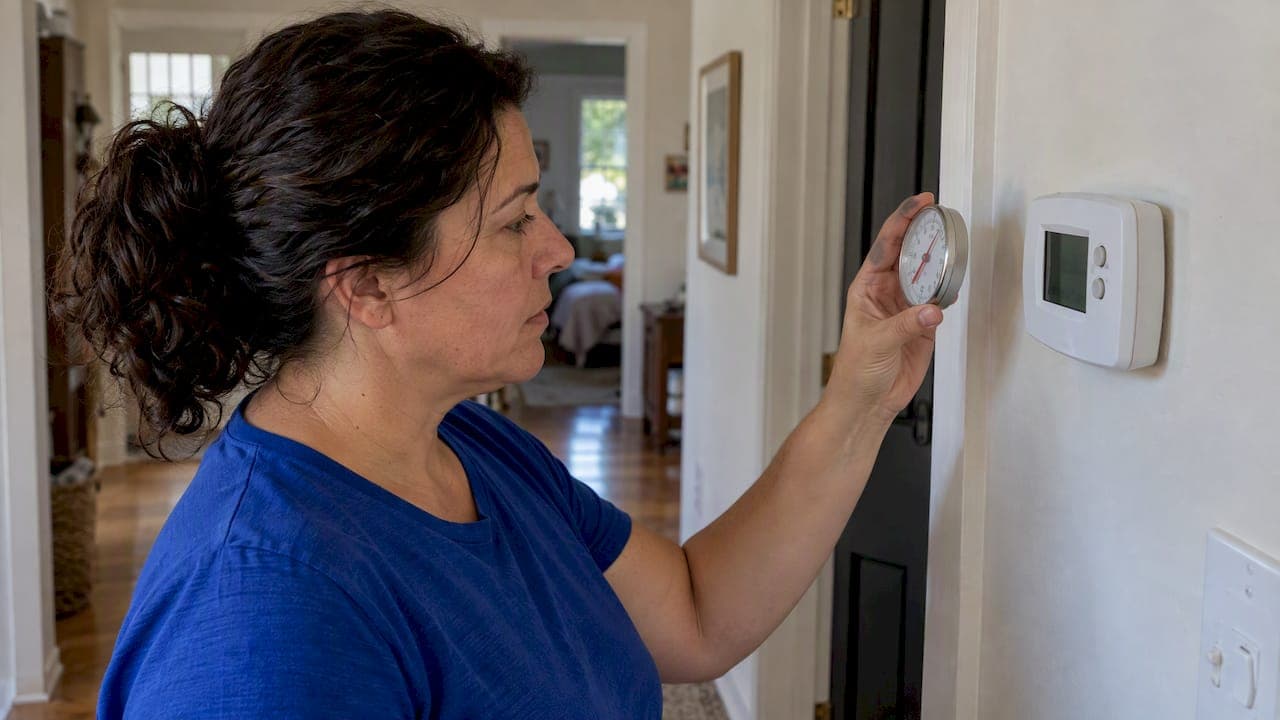
If your thermostat says 76°F and the room feels like 82°F, the display is probably not the only suspect. Most "calibration problems" come from where the thermostat sits, air leaking behind it, a loose connection or weak batteries. A true sensor error is less common, and many digital models let you correct it with a simple offset setting. This guide shows you how to tell which problem you have, what you can safely check yourself, and when it is time to bring in a licensed technician.
TL;DR
- Test first: put a known-accurate thermometer next to the thermostat for 15 minutes and compare. A gap of 2°F or less is normal for a certified connected thermostat.
- Location causes more wrong readings than faulty sensors: sun, lamps, exterior walls, drafts and a gap in the wall behind the unit all skew the number.
- If the sensor is truly off, many digital thermostats have an offset setting in the advanced menu. Mechanical models may need a technician.
- If the room is uncomfortable even when the display is right, the problem is the HVAC system, not the thermostat.
- Erratic readings plus a system that short cycles or won't run call for a professional diagnosis.
Table of Contents
- What "calibration" actually means
- How much error is normal
- Step 1: Test the thermostat honestly
- The most common cause: where the thermostat is mounted
- The hidden cause: a hole in the wall behind the thermostat
- Loose backplates, flaky connections and batteries
- How to adjust the offset on a digital thermostat
- Perspective: what we see in Inland Empire homes
- Signs the problem is bigger than the thermostat
- When replacing the thermostat makes sense
- Need a technician to look at it?
- FAQ
- Sources
What "calibration" actually means
A thermostat has a temperature sensor and a set of instructions. Calibration is the match between what the sensor reports and the real air temperature around it. When people say a thermostat is "off," they usually mean one of three different things:
- The sensor reads wrong. The air at the thermostat is 74°F, but the display says 78°F.
- The sensor reads right, but in the wrong place. The display is accurate for that wall, but the wall is not representative of your living room or bedroom.
- The system does not respond properly. The display is correct and the setpoint is met, but the house still feels too warm or too cold because of airflow, duct or equipment issues.
Each one has a different fix, so it pays to sort them out before you touch a setting.
How much error is normal
No thermostat is perfect. The ENERGY STAR requirements for connected thermostats call for a static temperature accuracy of ±2°F. So a one or two degree difference between your thermostat and a good thermometer is within what a certified device is expected to deliver. A five or six degree gap is not.

Keep that in mind when you test. Chasing a one-degree difference by fiddling with settings often creates more confusion than it solves.
Step 1: Test the thermostat honestly
Before you change anything, find out whether the reading is actually wrong.
- Get a separate thermometer you trust. A decent digital indoor thermometer works well.
- Place it right beside the thermostat, at the same height and not touching the wall or your hand.
- Leave both alone for about 15 minutes. Trane's support guidance uses the same method: a separate thermometer next to the unit, then an adjustment if the two disagree.
- Compare the numbers. Then move the thermometer to the middle of the room where you actually sit and wait again.
The two tests tell you different things:
| Result | What it suggests |
|---|---|
| Thermostat and thermometer match beside the unit, but the room reading differs | Placement or airflow problem, not a sensor error |
| Thermostat differs from the thermometer beside it by more than 2°F | Sensor drift, a power issue, or interference from the wall behind it |
| Readings jump around or the screen flickers | Connection, backplate or battery problem |
| Both match everywhere, but the house is still uncomfortable | HVAC system issue such as airflow, refrigerant or equipment sizing |
Your phone's weather app and an old glass thermometer hanging in the sun are not good references. Use something indoors, in the shade, away from vents.
The most common cause: where the thermostat is mounted
Placement is a leading cause of inaccurate readings. According to the ENERGY STAR guide to energy-efficient heating and cooling, a thermostat near lamps, appliances or fireplaces, in direct sunlight, on an exterior wall, or near doors and windows can report a temperature that does not reflect the living space. The guide recommends an interior wall away from those influences.
In Inland Empire homes, a few situations come up again and again:
- Afternoon sun through a window. In Riverside, Hemet or Murrieta summers, a thermostat in a hallway with a west-facing window can read several degrees high while the rest of the house is fine. The AC then runs far longer than it needs to.
- Kitchen walls. Ovens, dishwashers and refrigerators warm the wall. The thermostat thinks the house is hot.
- Next to a supply register. Cold air blasting past the sensor makes the system shut off early, leaving other rooms warm.
- Top of the stairs or a hallway that never gets airflow. The reading lags behind the rooms people actually use.
We cover the details in our thermostat placement guide for accurate readings. If your thermostat is in a bad spot, moving it is a job for a licensed technician, since it involves low-voltage wiring and patching the wall.
A cheaper fix: remote sensors
Relocating a thermostat is not always practical. Many smart models support add-on room sensors. Google's guidance for its Nest sensors notes that a sensor can let the system prioritize the room you actually occupy instead of the wall where the main unit is mounted. Ecobee also publishes troubleshooting steps for inaccurate readings that start with checking how its sensors are set up. If your hallway thermostat is a poor judge of the house, a sensor in the bedroom or living room often works better than recalibrating the main unit.
The hidden cause: a hole in the wall behind the thermostat
This one surprises people. The thermostat wires come out of a small opening in the wall. If that opening is not sealed, air from inside the wall cavity, which can be much hotter or cooler than the room, flows over the back of the thermostat. InterNACHI's thermostat page describes how this can make the device measure the temperature inside the wall rather than in the room. Practitioners often suggest sealing the opening with plumber's putty or insulation.

In attics-heavy California construction, wall cavities can get very hot on summer afternoons. If your thermostat climbs several degrees on a hot day while the room feels steady, this is worth checking. Switch off power to the system at the breaker before you remove the thermostat from its backplate, and if you are not comfortable with wiring, let a technician do it.
Loose backplates, flaky connections and batteries
Sometimes the problem is electrical rather than thermal.
Backplate flex. InterNACHI notes that erratic digital thermostats are frequently the result of poor pin connections to the backplate, especially when the wall is uneven and the backplate flexes. Loosening the mounting screws slightly so the plate can sit flat can fix it. Turn the power off first.
Battery type. For models that use batteries, the same source says that using alkaline cells where lithium is recommended can cause rapid power loss and erratic operation. Check your manual for the recommended type, and replace batteries at the first low-battery warning rather than waiting for a blank screen.
Dust. A thermostat with a layer of dust on its vents or sensor can respond slowly. A soft brush or a gentle puff of air is usually enough. Do not spray cleaners into it.
If your thermostat acts up in other ways too, our list of 10 safe thermostat checks for homeowners walks through the basics in order.
How to adjust the offset on a digital thermostat
Once you have ruled out placement, wall leaks, power and connections, and the thermostat still disagrees with your reference thermometer by more than 2°F, an offset adjustment is reasonable.
Many digital thermostats include a software-based temperature offset, often hidden in an advanced or installer settings menu. Trane's support article shows the idea for its own models: compare against a separate thermometer, then enter the difference so the display matches the real temperature.
A sensible routine:
- Record both readings after the 15-minute test.
- Open the advanced or installer settings. The path differs by brand, so use your model's manual or the manufacturer's support page.
- Change the offset by the exact difference, in the right direction. If the thermostat reads 4°F high, enter a negative 4°F.
- Wait an hour and check again. Don't keep nudging it every few minutes.
- Write down the original value so you can undo the change.
Older mechanical thermostats with a bimetal coil or mercury switch may have a calibration screw, but these are delicate and many are installed with older equipment. If yours is that type, consider whether it is time for an upgrade rather than adjusting it. Our guide on how to calibrate HVAC thermostats goes further into the DIY side.
When an offset is the wrong tool
An offset corrects a steady error. It does not fix a thermostat that is in the sun in the afternoon and in shade by evening, because the error changes through the day. If the difference swings by time of day, go back to placement and the wall opening. Offsetting a bad location just hides the symptom and shifts the error into your comfort at other times.
Perspective: what we see in Inland Empire homes
When a homeowner calls about a thermostat that "won't read right," we start by asking where it is mounted and what the house is doing, not by adjusting a setting. The Inland Empire is hard on thermostats and on air conditioners. Long, hot summers keep systems running for months, and the difference between a thermostat that is slightly off and a system that cannot keep up is easy to miss from the living room.
Our view is simple. Test before you change. A trusted thermometer and 15 minutes will tell you more than any amount of menu surfing. Fix the cause, not the number: if the reading is wrong because of sun, a drafty wall or a loose backplate, an offset only covers it up. And if the thermostat is accurate but the house is still uncomfortable, stop blaming the thermostat. That is when we look at airflow, ductwork, filters, the condition of the equipment and whether the system is the right fit for the home.
We also think a thermostat deserves to be treated as part of the system. A well-placed, well-matched control makes equipment run more sensibly, and a bad one can make a good system look like a bad one. If you are replacing equipment anyway, ask your installer to review the thermostat location as part of the job.
— Edward
Signs the problem is bigger than the thermostat
A calibration question can be a symptom of something else. Call a licensed technician when you see any of these:
- The display is accurate but the AC runs constantly and the house stays warm. Bring this up if the outdoor unit is running yet the air from vents is not cold.
- The system turns on and off in short bursts, which can point to a control, airflow or equipment issue.
- The thermostat screen is blank, flickers or restarts, even with fresh batteries and a snug backplate.
- Certain rooms are always much hotter or colder than others, regardless of thermostat settings.
- You smell burning, hear unusual noises, or the breaker trips. Turn the system off and call for service.
- The heat will not come on when the thermostat says it should. Our article on no heat from your HVAC in warm climates covers the likely causes, and our heater repair team can diagnose it.
Do not open the air handler or handle high-voltage components yourself. Thermostat wiring is low voltage, but a wrong connection can still damage a control board.
When replacing the thermostat makes sense
A new thermostat is worth considering if:
- The unit is old and its readings drift even after you have fixed placement and power.
- It does not support the equipment you have now, or you want scheduling and remote sensors.
- You have repeated wrong-reading complaints and no remaining cause.
When you shop, features matter more than brand. See our rundown of the best HVAC thermostat features for homeowners and how thermostats affect HVAC efficiency. Compatibility with your system's wiring and equipment type is the first thing to confirm, which is another reason to have a technician check it before you buy.
Once the control is right, the setpoint matters too. Our guides to heating temperatures for California homes and energy-efficient heating temperatures can help you choose settings that balance comfort and cost.
Need a technician to look at it?
If you have run the test, checked placement and the wall opening, and the numbers still do not add up, we can find out whether it is the thermostat, the wiring or the system itself. E320air serves homeowners, landlords, property managers and business owners across the Inland Empire, including Riverside, Moreno Valley, Corona, Fontana and Rancho Cucamonga. We handle repairs, maintenance, upgrades and HVAC installation, and our service is available around the clock, including weekends and holidays. For homes, start on our residential HVAC page, and for businesses, see commercial HVAC and emergency repairs. You can also browse the Problem Solving Gallery to see how we approach real-world issues. For a wider look at what to expect from a repair visit, read our homeowner's guide to HVAC repair services.
FAQ
Why does my thermostat read the wrong temperature?
The most common reasons are poor placement (sun, drafts, heat sources or an exterior wall), air leaking from the wall cavity through the wire hole, a loose backplate connection, or weak or wrong-type batteries. A genuine sensor error is less common. Test it against a separate thermometer for 15 minutes before changing anything.
How accurate should a thermostat be?
ENERGY STAR's criteria for connected thermostats expect a static accuracy of ±2°F. A difference of one or two degrees is normal. If you see a larger gap, look at placement and connections, then consider an offset adjustment.
Can I recalibrate a thermostat myself?
Often, yes, if it is a digital model with an offset setting in its advanced menu. Compare it to a reference thermometer, enter the difference, and recheck after an hour. If the error changes through the day, the cause is probably location or a wall leak, and an offset will not fix it.
Should I use a remote sensor instead of recalibrating?
If the thermostat is in a hallway or a spot that does not represent the rooms you use, a remote sensor is often the better answer. It lets the system follow the temperature where you actually live, as Google's Nest guidance describes for its own sensors.
When should I call an HVAC professional?
Call if the display is accurate but the house is still uncomfortable, if the system short cycles or will not start, if the screen keeps blanking, or if fixing the location needs wiring or wall work. A technician can tell whether the thermostat, the wiring or the equipment is at fault.
Sources
- ENERGY STAR Connected Thermostats V1.0 Certification Body Webinar
- ENERGY STAR: A Guide to Energy-Efficient Heating and Cooling
- Trane Home: The Indoor Temperature or Humidity Displayed on My Thermostat Isn't Correct
- InterNACHI: Thermostats
- Google Nest Help: Troubleshooting when a Nest Temperature Sensor isn't in a good spot
- ecobee Support: My ecobee temperature is inaccurate