
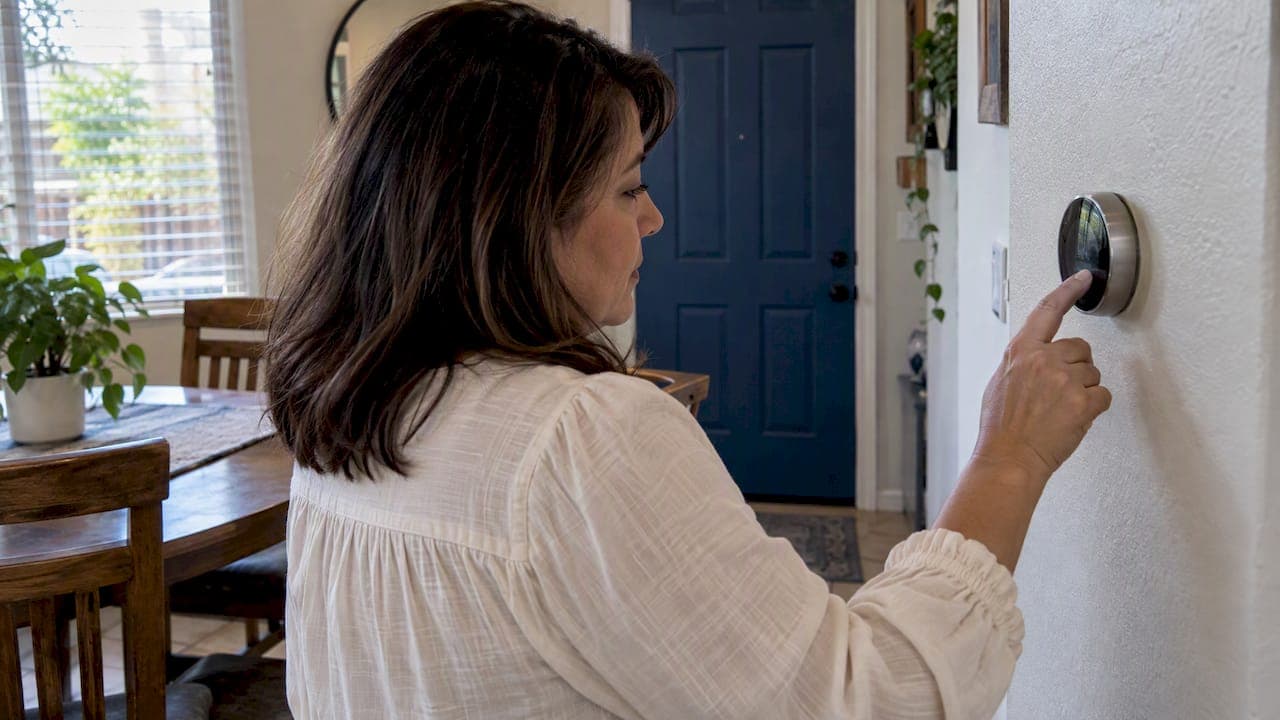
"Lockout" means two different things on a thermostat, and mixing them up is how people end up calling for service they did not need. A keypad or app lock stops people from changing the screen or limits the temperature range. A temperature lockout is an installer setting that decides at which outdoor temperature a heat pump's compressor or its backup (auxiliary) heat is allowed to run. This guide covers both: how to lock and unlock a thermostat, where heat pump lockout settings live, and which numbers are a sensible starting point.
TL;DR
- A keypad, PIN or app lock controls who can touch the thermostat. A heat pump lockout controls which heating source runs at which outdoor temperature. They are separate settings.
- Utility and federal guidance says to set the auxiliary (strip) heat lockout at or below 35°F, and ideally let the compressor run at every outdoor temperature.
- Lockout settings usually sit in the installer or technician menu, and many need an outdoor temperature sensor to work at all.
- If you are locked out of a smart thermostat, use the PIN or the app. If a heat pump keeps leaning on backup heat in mild weather, look for a system problem before you change the numbers.
- Lockout values should come from your equipment's balance point, so have a licensed technician set or verify them.
Table of Contents
- Two kinds of thermostat lockout
- Keypad, PIN and app locks
- What a heat pump lockout temperature actually does
- Recommended numbers to start from
- Where to find heat pump lockout settings
- What happens when a lockout is set wrong
- Our perspective
- Getting your settings checked
- Choosing between lock types for rentals and offices
- FAQ
- Sources
Two kinds of thermostat lockout
Search results for this topic mix two unrelated features, so it helps to separate them first.
| User lock (keypad, PIN, app) | Temperature lockout (heat pump) | |
|---|---|---|
| What it does | Blocks changes to settings or limits the temperature range | Blocks the compressor or backup heat above or below an outdoor temperature |
| Who sets it | Homeowner, landlord, property manager | Installer or HVAC technician |
| Where it lives | User menu or app | Installer setup or advanced settings |
| Typical goal | Stop tampering, control energy use | Protect efficiency and comfort |
| Needs an outdoor sensor | No | Usually yes |
If you are a landlord or manager trying to stop tenants from changing the temperature, you want the first column. If you own a heat pump and your electric bill spiked, you probably want the second.
Keypad, PIN and app locks
These locks are the simplest. On a Google Nest thermostat, a lock prevents people from changing settings or setting the temperature outside a restricted range, and you unlock it with a PIN or the app. To prevent changes, you lock the thermostat and set a PIN. To get out of lockout, you enter that 4-digit PIN on the device or unlock it from the app.
Other brands work on the same idea with different menus. A common pattern on programmable models is a lock option with settings such as off, partial and on, where partial leaves a few controls available. Menu names differ by model, so check your thermostat's manual for the exact path.
Locking a thermostat at a certain temperature
Yes, you can. Google Home lets you lock a Nest thermostat to a single temperature or to a temperature range. A range is usually the better choice for a rental or an office. Occupants keep a little control, which tends to cut complaints, while the cooling setpoint cannot be driven to an extreme. Commercial controls follow the same logic: for example, Carrier's commercial 33CS2PP2S-03 thermostat supports passcode-protected keypad locks.
A few practical tips for managed properties:
- Write the PIN down in your property records, not just in your head. A forgotten PIN is the most common reason a thermostat stays locked.
- Prefer a range over a full lock where tenants pay their own bills. Limits balance comfort and energy control, and some smart thermostats let administrators define temperature limits rather than locking the interface.
- Lock the installer settings separately. Installer or configuration locks protect technical parameters such as staging or equipment type, so a stray tap does not disrupt how the system runs.
- If the goal is only to keep the unit from being fiddled with, some owners also cover it; there are renter-friendly ways to hide a thermostat that keep it working.
Getting out of keypad lockout
- Try the PIN first. Most smart models ask for it the moment you tap the screen.
- Use the app. If the thermostat is linked to an account, the app can usually switch the lock off from settings.
- Check the model's manual. Basic thermostats often unlock through the same menu that locked them, or by a button combination listed in the manual.
- Call the installer or property manager. If the PIN was set by someone else and nobody has it, they are the fastest route.
What a heat pump lockout temperature actually does
A heat pump moves heat from outdoors to indoors. As it gets colder, it delivers less heat per hour, and many systems add electric resistance strips or a furnace to make up the difference. Lockout settings are the rules for when each piece is allowed to work.
The two settings you will see:
- Compressor lockout. This is the outdoor temperature at which the heat pump is no longer used for heating and supplemental heat takes over.
- Auxiliary heat lockout. This prevents resistance heat from being used above a selected outdoor temperature. Above that number, the strips stay off even if the house is slow to warm up.
The auxiliary lockout is the one that most affects your bill, because resistance heat is far more expensive to run than a compressor. Hence the other popular question, "heat pump lockout temperature": most people asking are really asking where to set the auxiliary heat cutoff.
Auxiliary heat versus emergency heat
These are not the same thing. Auxiliary heat is a secondary source that turns on automatically when the heat pump cannot efficiently meet the home's load, while emergency heat is a manual mode that disables the compressor entirely. Lockout settings govern the automatic one. Carrier recommends against using emergency heat as a routine substitute for heat pump operation and advises that if the system needs you to switch to it manually, you should contact a qualified HVAC professional.
Recommended numbers to start from
The most specific public guidance comes from the Bonneville Power Administration, which runs a performance-tested comfort systems program for heat pumps. BPA says to set the auxiliary heat lockout to 35°F or lower. For best efficiency, it also recommends ideally letting the compressor run at all outdoor temperatures, rather than locking it out at a set point.
Translated into plain terms:
| Setting | Starting point from BPA guidance | Why |
|---|---|---|
| Auxiliary heat lockout | 35°F or lower | Keeps expensive resistance heat off when the heat pump can handle the load |
| Compressor lockout | Ideally none (compressor runs at all temperatures) | The heat pump is the efficient source |
Treat these as a starting point, not a prescription. The right auxiliary number comes from your home's balance point. The strip-heat lockout temperature should be determined from the thermal or capacity balance point between the heating load and the heat pump's capacity. A well-insulated house with a correctly sized system can run its balance point much lower than a leaky one with a small unit.
In the Inland Empire, where winters are generally mild compared with the northern states those guides were written for, a heat pump rarely needs help for most of the season. That makes backup heat settings even more worth getting right: if the strips fire often on a 50°F morning, something is off. Our guide to heat pump performance below 0°F explains how capacity falls as temperatures drop, and the energy-efficient heating temperature guide for California homes covers the indoor side of the equation.
How the balance point works
Your house loses heat faster as it gets colder outside. The heat pump's output drops as it gets colder too. The outdoor temperature where the two lines cross is the balance point. Below it, the heat pump alone cannot keep up, and supplemental heat is justified. Above it, the strips are just burning electricity. Setting the lockout near the balance point is the whole idea.
The DOE's contractor guidance describes the same logic for systems with a second heat source: two-system controls prioritize the heat pump and bring in supplemental heating when preset conditions are met. If you have a furnace as backup, see our explanation of dual fuel heat pumps, where the same switchover idea applies to gas.
Where to find heat pump lockout settings
These settings are not in the everyday menu. Look for installer setup, technician access or advanced settings. Two examples from manufacturers:
- Trane XL824. The path is Menu, then Service, then Technician Access, then Installer Setup, and Group 7 is "Lockout Settings." The settings cannot be selected if no outdoor sensor is enabled.
- ecobee. Users can adjust threshold settings on the thermostat, including Compressor Min Outdoor Temperature and Aux Heat Max Outdoor Temperature, which control when the compressor and backup heat run.
Notice the outdoor sensor dependency. If the thermostat cannot read the outdoor temperature, from a wired sensor or in some cases a weather feed, an outdoor-temperature lockout has nothing to work from. On commercial controls, Carrier's 33CS2PP2S-03 requires an outdoor sensor for its auxiliary heat lockouts.
A safe way to change the settings
- Photograph or write down every current value before touching anything.
- Confirm the outdoor sensor works and reads sensibly against a local weather report.
- Change one setting at a time. Start with the auxiliary lockout, because that is the one tied to cost.
- Watch for a week or two. ComEd's controls guide stresses that switchover temperatures should be recorded and monitored over time, with adjustments based on the home's heating load and the homeowner's comfort, to avoid callbacks.
- Do not edit staging or equipment-type parameters unless you know what the equipment is. Those protect the system.
What happens when a lockout is set wrong
Set too high (for example, auxiliary heat allowed up to 50°F): electric strips run when the heat pump could have handled it, and your bill climbs without any gain in comfort.
Set too low (for example, auxiliary heat blocked well below the balance point): the house may lag, the thermostat holds the setpoint out of reach, and occupants raise it further, which can trigger more heat later. Comfort suffers on the coldest nights.
Compressor locked out too early: the system switches to the less efficient source sooner than needed, even though the heat pump could still contribute.
Some smart thermostats tell you when this is happening. Ecobee notes that an exclamation mark or similar alert can appear on the flame icon when auxiliary heat has been disabled by the lockout for efficiency reasons. That is a normal message, not a fault.
When backup heat runs too much, it may not be the settings
Before you blame the lockout number, check the system. Carrier points out that low refrigerant or a dirty air filter can make a heat pump lean on auxiliary heat more than expected, even in mild weather. Refrigerant is not a do-it-yourself item, so if the filter is clean and strips still run on mild days, that is a service call.
A few other habits can quietly trigger backup heat:
- Deep nighttime setbacks. Carrier suggests that avoiding big overnight setbacks prevents the system from needing energy-intensive auxiliary heat during morning recovery. A smaller setback often costs less than a large one.
- Frost on the outdoor unit. Long or frequent defrost cycles change how the system behaves; see what to do if a defrost cycle runs over 10 minutes.
- A thermostat not matched to the equipment. Our overview of how thermostats shape HVAC efficiency and the guide to HVAC comfort control cover what a compatible control does.
Our perspective
Most calls we get about "thermostat lockout" fall into two piles. The first is a locked keypad where the PIN is lost, which is a five-minute fix once someone finds it. The second is a heat pump bill that looks wrong, and that one deserves a real look.
Here is how we handle the second pile. We start with the system, not the thermostat: filter, airflow, outdoor unit condition, refrigerant and the outdoor sensor. Only then do we look at lockout values, because a wrong number on a healthy system is easy to fix, while a right number on a failing system just hides the symptom. As licensed and insured technicians who work on all major brands, we see a wide range of thermostats and installer menus, and the labels vary far more than the logic does.

We also push back on one common instinct: locking the keypad is not an energy plan. For landlords and property managers, a temperature range plus a correctly set auxiliary lockout does more than a fully locked box, and tenants complain less. And in our service area, where heating demand is modest, we would rather see the compressor do nearly all the heating than tune the strips to a clever number.
If something is running wrong in the middle of the night or on a holiday, we are available around the clock, weekends and holidays included. Do not sit on emergency heat for days; call.
— Edward
Getting your settings checked
If you want the lockout values on your heat pump verified, or a new thermostat installed and configured for your equipment, our team handles it as part of heater repair and maintenance visits. If the numbers keep fighting an aging system, an upgrade conversation may make more sense, and HVAC installation is where that starts, with flexible payment options including financing. We serve homes and businesses across the Inland Empire, from Riverside and Moreno Valley to Fontana, Corona and Rancho Cucamonga.
Choosing between lock types for rentals and offices
A short decision guide for owners who manage space they do not occupy:
| Situation | Suggested approach |
|---|---|
| Tenant pays the bill, wants some control | Temperature range limits |
| Vacant unit between tenants | Full lock at a fixed setpoint |
| Office or shared commercial space | Passcode lock plus scheduled setpoints |
| Heat pump with strip heat | Range limits for users plus an installer-set auxiliary lockout |
| Vacation rental | App-managed limits so you can adjust remotely |
The user lock and the heat pump lockout work together. The first limits what people ask for, the second governs how the system delivers it.
FAQ
How do I get my thermostat out of lockout mode?
Enter the PIN on the thermostat or unlock it from the manufacturer's app. For a Nest, that means the 4-digit PIN or the Google Home app. On a basic model, check the manual for the lock menu or button combination, and if someone else set the lock, contact them or your installer.
How do I stop people from changing my thermostat?
Turn on the thermostat's lock and set a PIN or passcode. If you want to leave some control available, use a temperature range instead of a full lock. Keep the PIN in your records so it does not get lost.
Can you lock a thermostat at a certain temperature?
Yes, on many smart thermostats. Google Home, for example, lets you lock a Nest to a single temperature or a range. Basic thermostats may only offer a keypad lock, in which case the setpoint you leave on the screen is the one that stays.
What should my heat pump lockout temperature be?
For auxiliary heat, BPA's guidance is 35°F or lower, and ideally the compressor runs at all outdoor temperatures. The best figure for your house depends on its balance point, so have a technician confirm it for your equipment.
Why does my thermostat show an exclamation mark near the flame icon?
On some ecobee models it means auxiliary heat is disabled by the lockout for efficiency reasons. That is expected when it is warm enough outside. If heat is not coming on and the house is cold, call a technician.
Sources
- Lock and unlock your Nest thermostat, Google Nest Help
- 33CS2PP2S-03 Thermostat, Carrier
- Lockable Thermostat Guide, Owon Technology
- Controls Guide: Air Source Heat Pumps, ComEd
- PTCS Lockouts and Balance Points: Reference Guide, BPA
- PTCS Heat Pump Thermostat Support Sheet, Trane XL824, BPA
- Reduce your auxiliary heat usage with a heat pump, ecobee Support
- Flame icon exclamation mark, ecobee Support
- What Is Auxiliary Heat?, Carrier
- Controls for a Heat Pump with Secondary Heating, for Contractors, U.S. DOE